While I’m no Dorothy in the Land of Oz (and thankfully we don’t have lions, tigers or bears to deal with in Derby), here in the murky depths of the SEO kingdom there are three elements of a webpage that can make or break your rankings.
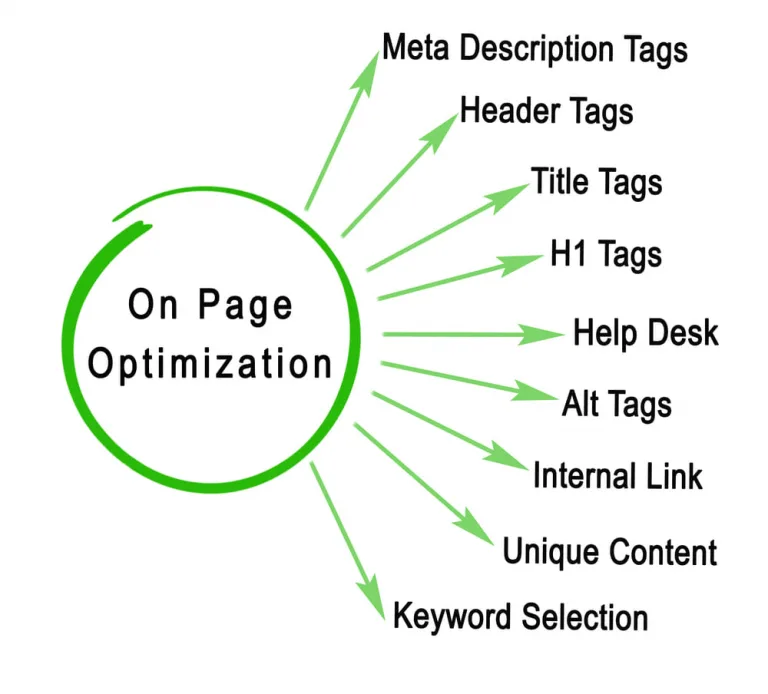
Meta descriptions, heading tags and image alt tags.
You might fall into one of a few categories:
“I have no idea what these are, I just upload the text and run”
“I have an idea of what they are but tend to ignore them”
“I try to do a couple of these”
“I know what they are and I’m using them all the time”
Ideally, you want to be in the final category but using metas, headings and alt text correctly all of the time (because believe me, a lot of people think they are getting them right but they’re really, really not).
So, in this blog I want to share with you what these elements of a webpage or blog do, how they can affect your website’s performance for rankings, and how to make sure you’re getting them right the next time you upload new content.
Why are heading tags so important?
Disappointingly, I’ve come across several professionally built websites recently that aren’t using heading tags (not even the title tag). This is somewhat shocking as in most cases, you have to actively disable the H1 title tag to stop it appearing on a web page.
A heading tag is the larger text, such as “why are heading tags so important?” used to highlight what a page or paragraph is talking about. They serve a few functions:
- They break up the text and make it easier to read
- We ‘scan’ pages for the info we’re looking for, so headings help us identify the relevant parts of a page to read
- They improve accessibility for disabled users by helping screen reading software understand how to read the page
- When used with target keywords, they give search engines additional clues about the content of the page so they can understand the context better and rank it higher
I always liken it to a school science report (if you remember doing those!). You had a title for each section – introduction, method, findings, discussion, etc and each section was focused on a specific part of the science experiment.
The same principle applies with heading tags and ultimately how a web page should be formatted. Each section should focus on a key point and a heading tag should be used to summarise what that key point is.
Why aren’t heading tags used properly?
That’s a really good question. All too often it’s due to ‘design reasons’.
Some web designers don’t find heading tags aesthetically pleasing and don’t want to change them to suit their design, or DIY website buildings don’t understand their true purpose and think they’re there just to change what the text looks like.
Unfortunately, heading tags are one of the best places to use keywords and ensure that the content is focused on what the reader is wanting to read, and this is why it’s so important to get them right to rank well on Google and other search engines.
How you should be using heading tags on your website and blog posts
Each web page should follow a simple structure of heading levels, as follows:
H1 tag – this is the title tag. It doesn’t have to be the title of the page itself, you can choose something else (just make sure you disabled the page title to avoid two H1s). This title tag should make it clear what the webpage is about.
H2 – these tags are used to highlight the really important bits i.e. the specific points that you want to draw attention to.
H3 – H6 – these are used to draw attention to stuff that’s important but not as important as the H2s, so sub-sections, additional info, etc.
Never, ever use a heading tag just to make text appear bigger or bolder. Use the text editor to bolden the text, underline or increase font size instead.
If you want a heading tag but don’t want it to appear on screen, consider using the same font colour as the page colour and having it as the smallest font size, that way it’s there but can’t be seen by your audience.
Abiding with conventional heading structure rules will ensure that your website is aligned with best search engine optimization practices, and Google bots will be able to read it and rank the page/post properly.
What’s the deal with image alt tags?
Short for alternative text, alt text is designed to be read out by screen readers and other assistive technology for disabled website users or to appear when images are slow to load. For this reason, alt text should be a description of the image itself as if you were describing what’s there to someone unable to see it.
Obviously, alt text is therefore important for ensuring that a website is accessible and adheres to the Equality Act (2010) which is a legal responsibility for all UK business owners, but alt text also has a role to play when it comes to search engine rankings too.
Search engine bots can’t “see” an image either, only the filename and alt text. Often, we use images to reinforce the message we’re trying to get across in our content, or to add further information. But Google and other search engines can’t obtain this additional contextual information like our website visitors can, and so they also use the alt text to find out what the image is and why it’s relevant.
Where can things go wrong with alt text?
Unfortunately, most websites I’m asked to optimise for search engines either have all alt text missing, they’ve been stuffed with keywords rather than an actual description or they’re just image files with a name like “business logo”. This creates a negative user experience for disabled visitors to your website (and under The Equality Act 2010, you should be making every effort to ensure your website is accessible and inclusive).
Obviously, all three of these mistakes prevent search engines and our disabled website visitors from understanding what they image is actually about and why it’s important to your web pages or blog posts. Worse. It can give a really negative impression instead if a screen reader is just listing a ton of keywords!
How to sort out your alt text
Fortunately, it’s a really simple process to write alternative text for an image – just describe it! Obviously, you want to be as succinct as possible but literally a sentence describing what’s going on in the picture is all that’s needed.
What about keywords I hear you ask? Well, if the image you’ve chosen is relevant and appropriate to the content then the relevant keyword should naturally be there anyway. If you’re having to force a keyword in there then chances are the image itself is wrong and a different image would work better.
To find out more about image-based SEO and why it’s so important, why not have a read of our blog “7 easy steps for image based SEO on your website”.
What is a meta description?
A meta description is a brief summary of what your page is about. Although search engines don’t (apparently) use them when deciding where to rank your page, they are useful to your potential visitors.
When you search for something on Google, a page full of results come up with the URL, page title and a sentence or two telling you what that page is about. We then read those sentences to see which one is the most applicable to what we’re searching for.
If it seems to be exactly what we’re looking for then we’ll click that link straight away but if it doesn’t seem relevant, or it’s empty or just appears to be a list of some kind, we’ll ignore it and choose a different result instead.
But websites all too often have no meta descriptions or they’re badly written
Seems simple enough and yet when I’m performing SEO audits for clients, more than 50% of the time they haven’t filled in the meta descriptions, and all too often when they have been completed it’s a list of keywords, or just the first sentence or two of the page rather than a summary.
This is stopping you from getting visitors to your website.
Often, they’re blank because a web designer hasn’t filled them in and you don’t know that, or they’re the guilty ones for just chucking in some keywords and hoping for the best. It did used to be the case that putting keywords here would work, but that hasn’t been the case for at least seven or eight years now.
Sometimes SEO plugins (or even Google itself) will try to auto-fill the meta description by pulling in the first sentence or two of the webpage or blog. But it’s incredibly difficult to understand what a page is about from just the first sentence, I mean, you’d probably think I’m talking about the Wizard of Oz from my first line of text!
How to get meta descriptions right
Summarise what the blog is about in a sentence. For example, this blog’s meta description is:
All you need to know about meta descriptions, heading tags and alt text and why they’re important in getting your website ranking well.
So, anyone coming across it in the search results will know at a glance that this blog discusses what these three elements are and why they’re important to website rankings. Simple, huh?
It really doesn’t need to get any more involved than that. Your focused keyword should naturally appear in the sentence, and if it doesn’t then perhaps the page isn’t focused enough around that topic? But don’t try to cram in your target keyword more than once, Google may consider this to be keyword stuffing and penalise your website if you’re also doing it within the page/post text and image alt text too.
My oh my, there was a lot of information in that blog! I hope you found it useful and that you now have a better understanding of why headings, alt text and meta descriptions are so important to your website’s SEO and how you can get them right. Following the advice I give in this blog should help improve your search rankings but if you’d like help sorting out these or other issues on your website, why not get in touch for a friendly chat?
